> For the complete documentation index, see [llms.txt](https://docs.statuspal.io/llms.txt). Markdown versions of documentation pages are available by appending `.md` to page URLs; this page is available as [Markdown](https://docs.statuspal.io/next/workspace/audit-logs.md).
# Audit logs
See who changed what and when, across service status updates and SCIM-driven membership changes.
Audit logs give admins a chronological record of status changes and SCIM-driven membership events across the organization.
## What is recorded
Audit logs cover two kinds of events:
* **Service status changes** on any status page, whatever triggered them: a manual update from the notice form, or an automated one from an incident automation, a monitoring check, or scheduled maintenance. Each entry records the old and new status.
* **SCIM-driven changes**, if [SCIM](/next/workspace/single-sign-on-and-scim.md) is connected: a member's role changed, a member added to or removed from a group, and a SCIM push that matched no role or group (so a mistyped group name in your identity provider is visible instead of failing silently). It also flags when a SCIM push deprovisions your organization's last admin, and when a role change is skipped because your plan's seat limit was reached.
{% hint style="info" %}
Audit logs only cover role and group changes that come from a SCIM push. Manual changes made from [Invite and manage members](/next/workspace/invite-and-manage-members.md) aren't recorded here.
{% endhint %}
## Browse the log
Open **Settings** → **Audit logs** to see every event, newest first.
Each row shows:
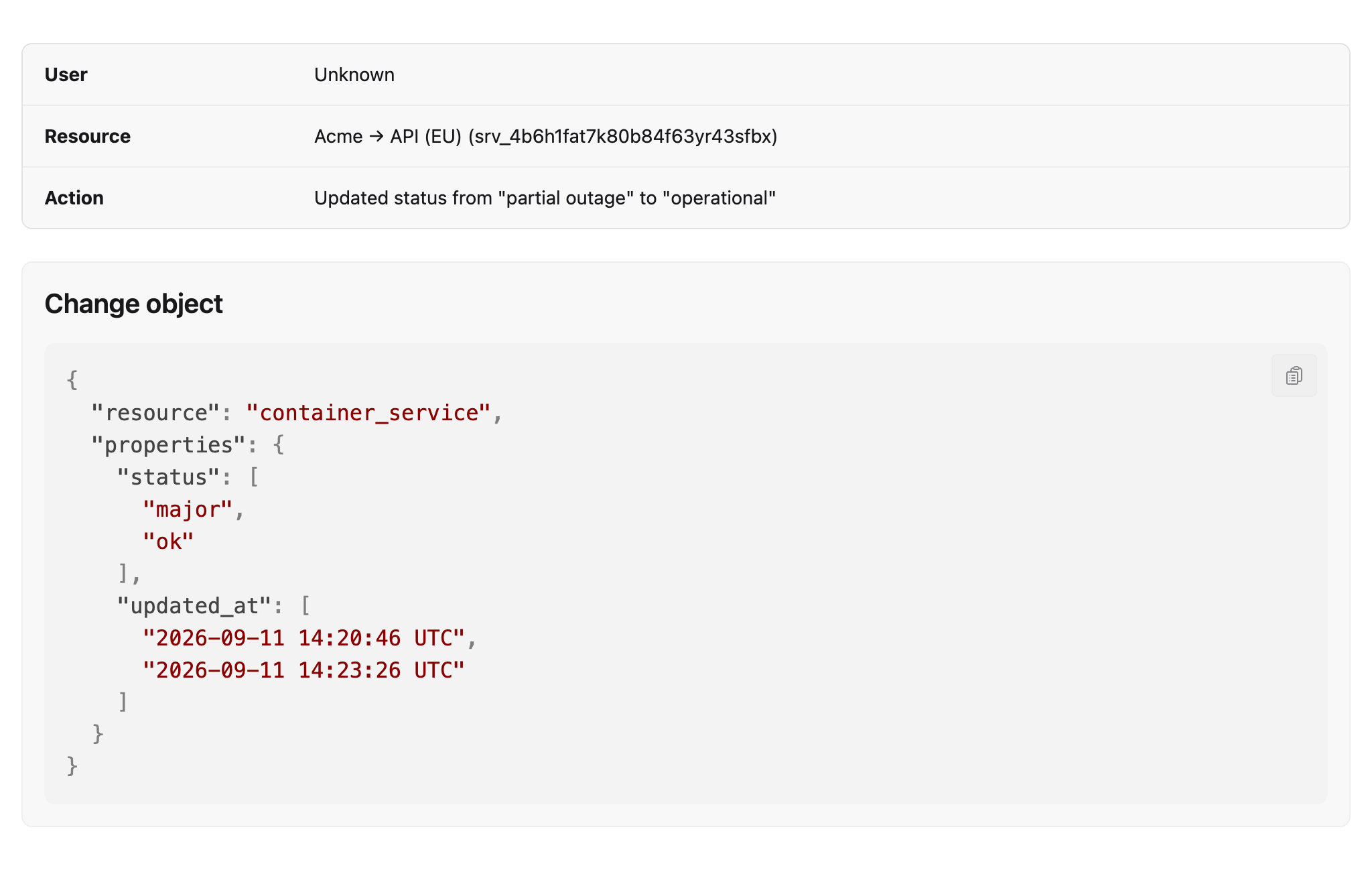
* **User**: who made the change, or "Unknown" for a system-triggered update (an automation, a monitoring check, or scheduled maintenance) or "SCIM" for an identity-provider-driven change
* **Resource**: the status page, service, and container affected, or the member and group for SCIM events
* **Action**: what changed, including the old and new value
* **Date**: when it happened
Use **Filter by status page** to narrow the list to one status page, all status pages, or **No status page** (SCIM events, which aren't tied to a status page).
Click **Details** on any row to open its full record, including the raw change object:
## Who can view it
Audit logs are visible to admins only. Members don't see **Audit logs** in the **Settings** sidebar and can't open its pages directly.